Accounting software for Pakistani business
Accounting for every
business. A module
built for yours.
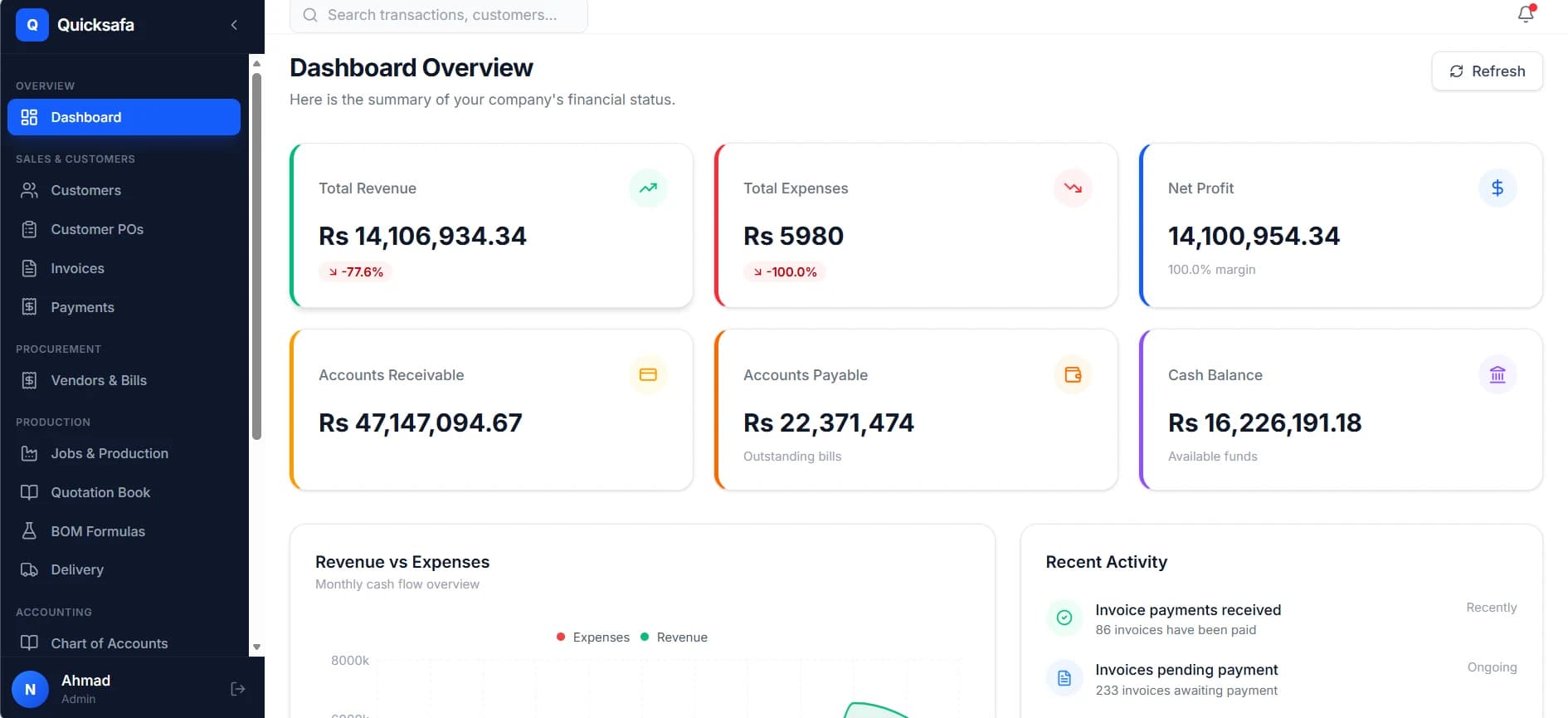
Underneath is a proper double-entry system — customers, invoices, vendors, stock, thirty reports and a trial balance that balances. On top sits the module your trade runs on: FBR digital invoicing, corrugated box manufacturing, or the one we design with you.
We come to you, watch how the work actually moves, then build the module around it
- Double-entry GL
- Customer ledgers
- Vendor bills & POs
- Inventory
- Fixed assets
- Ageing reports
- Trial balance
- Role-based access
- FBR digital invoicing
- IRN & QR
- SRO chain
- HS codes
- Ply rate cards
- Flute take-up
- Deckle matching
- Production job cards
- Delivery challans
- Your industry next
- 13
- Core modules
- 30+
- Built-in reports
- 4
- Industry modules
- 99.9%
- Uptime target
Sales, purchasing, stock, books and access — in every install.
P&L, balance sheet, trial balance, ageing, stock and ledgers.
Built for 2 industries so far. Yours is designed with you.
Hosted on managed infrastructure with daily backups.
How it is built
One set of books.
Your industry on top.
Most businesses in Pakistan end up running two things: an accounts package for the books and a spreadsheet for whatever the accounts package cannot do — costing, production, stock in the units the trade actually uses. Somebody re-types figures between them, and that is where margin quietly disappears.
Quick Safa is built the other way round. The accounting core is complete on its own, and your industry module is written against the same records rather than beside them.
Industry module
One per business
One customer list · one item catalogue · one general ledger
Accounting core
13 modules · in every install
- Sales
- Customers & Ledgers · Customer POs · Invoices · Payments · Delivery
- Purchasing & Stock
- Vendors & Bills · Inventory · Items · Fixed Assets
- Books
- Chart of Accounts · Reports
- Platform
- Team & Access · Settings
- The books are the base, not an add-on
- True double-entry underneath everything. An invoice, a receipt, a bill or a stock issue each post their own journal entry, and you can open any figure and see the entry that made it.
- The industry module sits on top
- Your costing, your documents, your production steps — running on the same customers, the same items and the same ledger. There is no second system to reconcile against, because there is no second system.
- Designed around your workflow, not a template
- We do not hand you a generic manufacturing screen and ask you to adapt. We watch how an order becomes a delivery in your business, then build that.
- You are never locked to one trade
- Start on the accounting core alone if that is all you need today. The module goes on later without moving your data or restarting your books.
Modules by industry
Pick the module your business runs on.
Each one is built on the same accounting core, so you are choosing what sits on top of your books — not which product to buy and later reconcile.
Any business registered for sales tax in Pakistan.
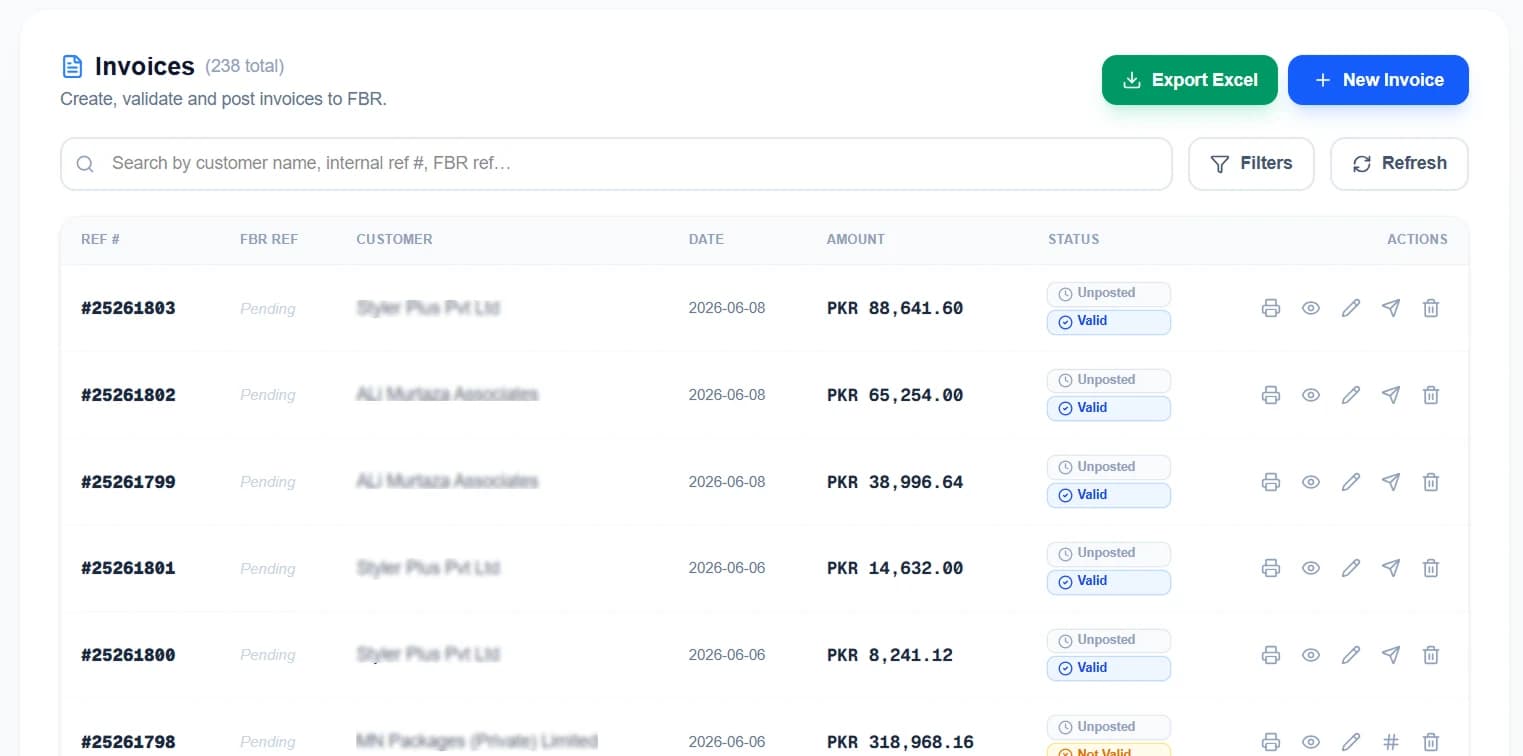
LiveFBR Digital Invoicing
Digital sales-tax invoicing for any Pakistani business on the FBR system. It genuinely posts and returns an invoice reference number and a QR code — and it is sold on its own if invoicing is all you need.
- Validate before posting, so errors surface before FBR sees them
- IRN and QR printed on your own invoice template
- The full FBR response stored, rejections included
- HS codes, SRO chain and NTN lookup maintained in the product
See the FBR module+1 module
Corrugated box, carton and packaging manufacturers.
LiveCorrugated Box Manufacturing
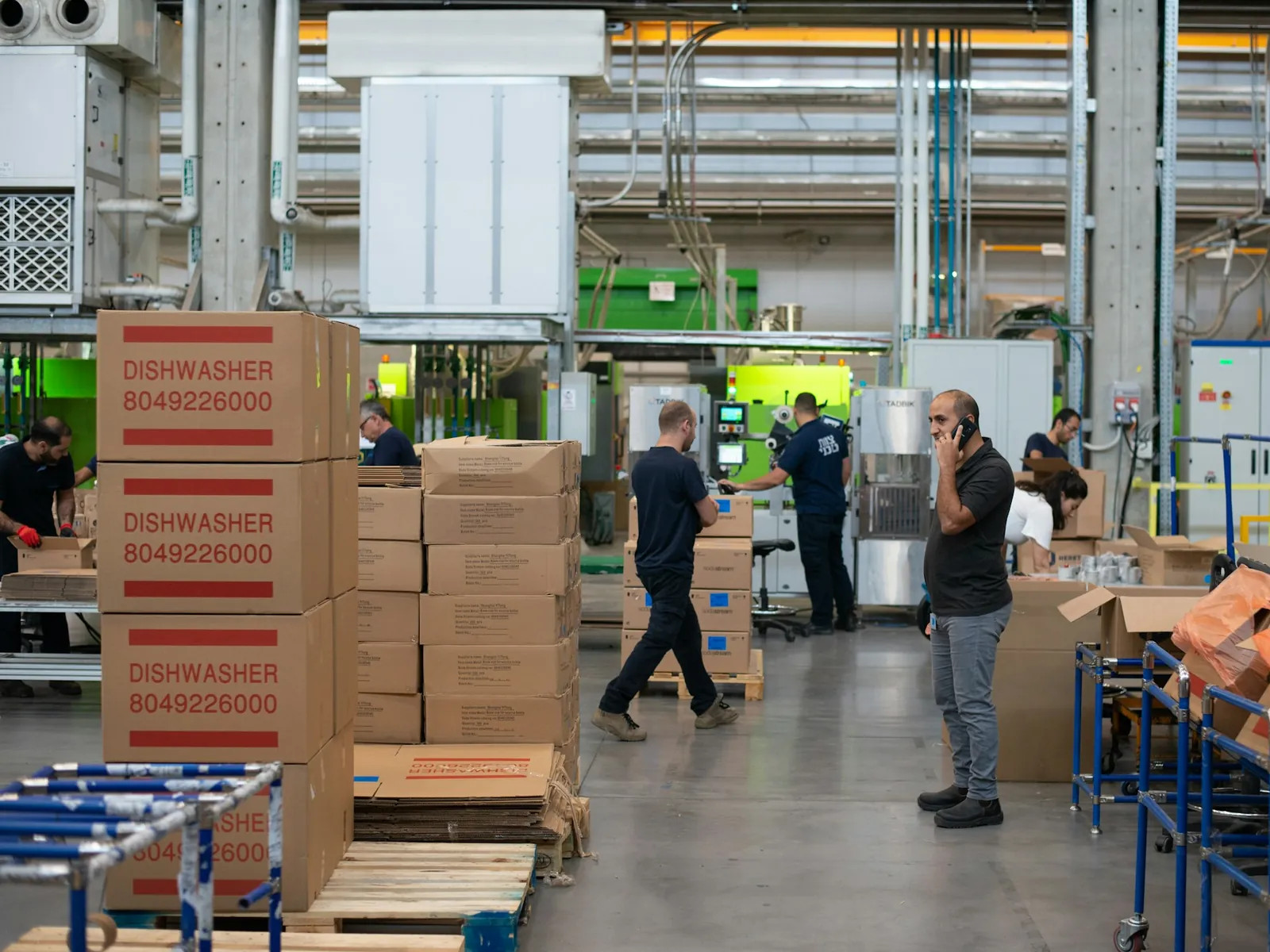
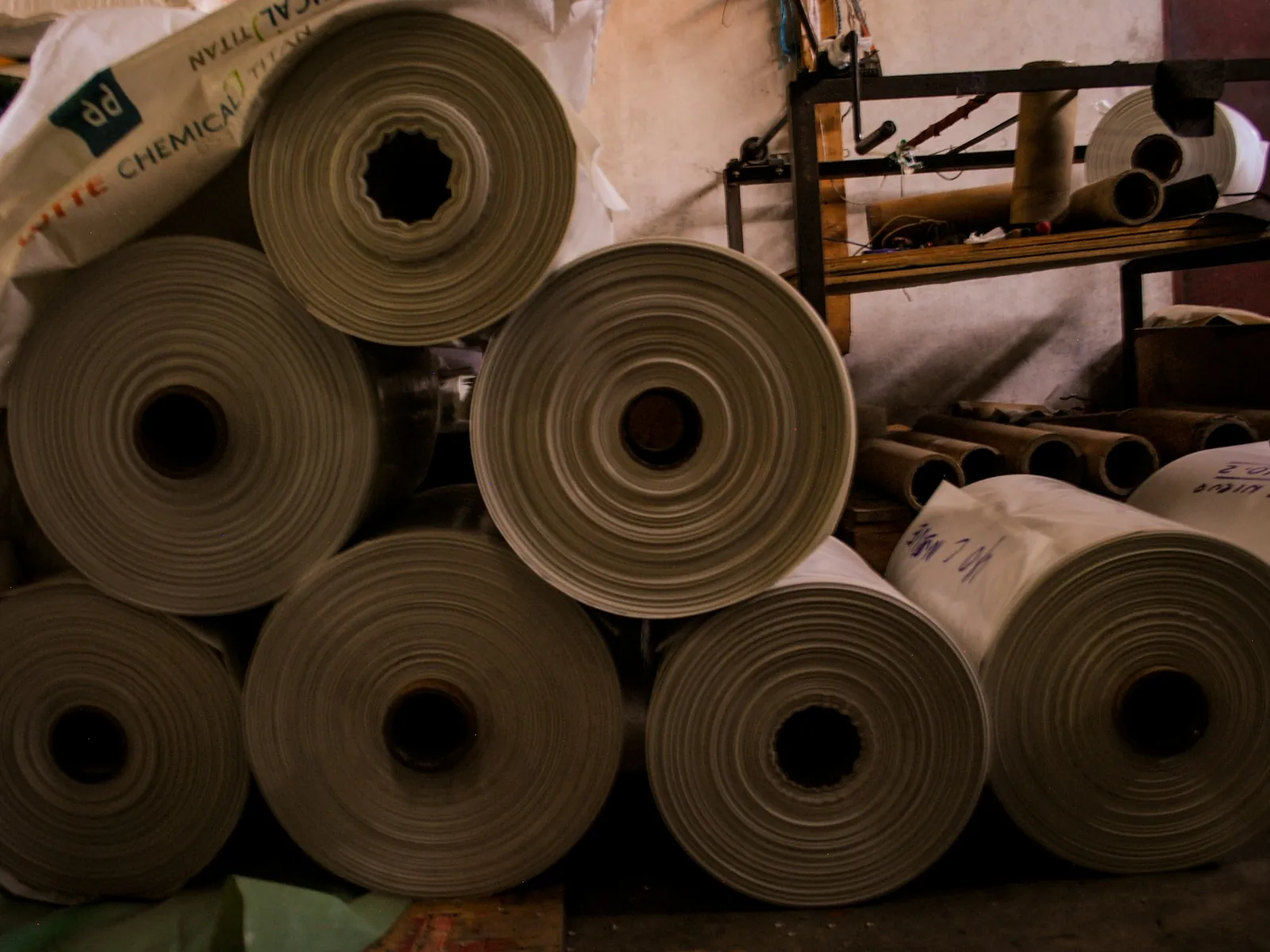
The costing a box plant runs on — ply stacks, flute take-up, deckle matched to the reels you stock — carried through quotations, job cards, material issue, challans and the ledger without anyone re-typing it.
- Rate cards for 3-ply, 5-ply and 7-ply, stored per customer
- Flute take-up for A, B, C, E, F, BC and EB
- Cut size and deckle snapped to your stocked reel widths
- Job cards, semi-finished sheets and delivery challans
See the corrugated module+3 modules
Any manufacturer, distributor or service business we have not covered.
OpenOther industries
Every industry module started as one business that had nothing built for it. If your trade is not here, we come to you, learn how the work actually moves, and design the module around it.
- We visit and watch the process before we design anything
- The accounting core is already built — only your layer is new
- You get the module shaped around your workflow, not a template
- First business in a trade helps decide what gets built
Everything above runs on the same books. Compare the modules side by side.
How we work
We come, we watch, we design, we build.
No two businesses produce the same way, and a workflow written by someone who has never seen your floor is a workflow you will spend two years working around. So the module is designed in your premises, with the people who do the work, before anything is agreed.
The accounting core is already built and running. What we design with you is the layer on top — which means the timeline is measured in weeks, not in the years a ground-up custom system would take.
- 01
We come and see the work
Someone from us visits your office and your floor. Not a video call — an afternoon watching how an order actually becomes a delivery, and where the numbers currently get written twice.
- 02
We sit with the people who do it
Your estimator, your storekeeper, your accountant. They know where the process really is, which is rarely where the org chart says it is, and they are the ones who will use this every day.
- 03
We design the module around that
Costing, documents, stock movements and approvals mapped to your workflow, then shown back to you before a line is written. You correct it on paper, which is cheap, rather than in software, which is not.
- 04
We build it, load your data and train your staff
The module goes on top of the accounting core, your opening balances and history come across, and we train the office and the floor on site — on your own jobs, not a demo company.
Every module, in detail
13 core modules, 4 industry modules, one set of records
Sales to receipts and purchasing to payables in every install, with your trade's own modules on top. Nothing is re-keyed between them, because there is nothing to re-key it into.
Accounting core
Sales
Purchasing & Stock
Books
Platform
Industry modules
FBR Compliance
Corrugated Box
Customers & Ledgers
Accounting coreEvery customer with a statement-style ledger underneath — what they bought, what they paid, and what is still outstanding, in one running list you can hand to them.
- A running ledger per customer, not a balance you have to trust
- Live outstanding balance, updated by every invoice and receipt
- Opening balances loaded during onboarding so day one is accurate
- Drill from any figure into the transaction that made it
Customer POs
Accounting coreLog the buyer purchase order once. Turn it into a production job or an invoice without anybody re-typing a specification, a quantity or a rate.
- Capture the PO with specifications and agreed rates
- Convert a PO into a production job in one step
- Convert a PO into an invoice when you dispatch
- Nothing is re-keyed, so nothing is mis-keyed
Invoices
Accounting coreSales invoices on your own template, posting their own journal entry. Where the FBR module is switched on, they validate and post to FBR from the same screen you raise them on.
- Your own print template, GST or non-GST
- Posts a journal entry, so the books stay right
- FBR reference number and QR where that module applies
- Export the whole register to Excel
Payments
Accounting coreRecord receipts against the invoices they settle. Receivables stay right without a month-end reconciliation exercise.
- Allocate one receipt across several invoices
- Partial payments and advances handled properly
- Receivables ageing updates the moment you save
- Posts its own journal entry to the ledger
Delivery
Accounting coreDelivery challans on your own template, out of the gate and onto WhatsApp before the truck reaches the buyer. Stock comes off on dispatch, not at month end.
- Challans raised against orders and jobs
- Partial deliveries tracked against the balance
- Your company header and custom challan template
- Finished goods deducted from stock on dispatch
Vendors & Bills
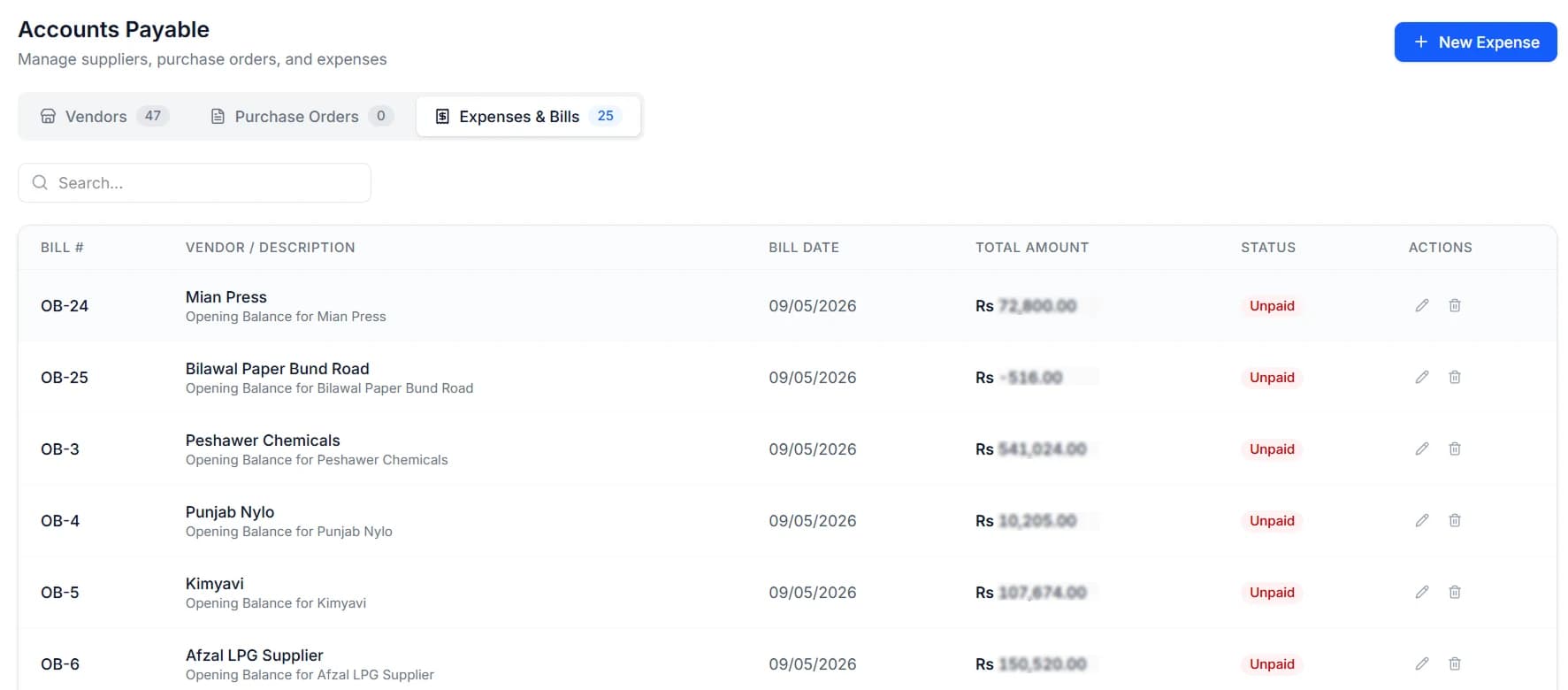
Accounting coreSuppliers, purchase orders and bills in one place, with a ledger per vendor so you know exactly what you owe and since when.
- A running ledger per vendor
- Purchase orders you can print and send
- Bills and expenses kept separate, not lumped together
- Payables ageing that matches the ledger
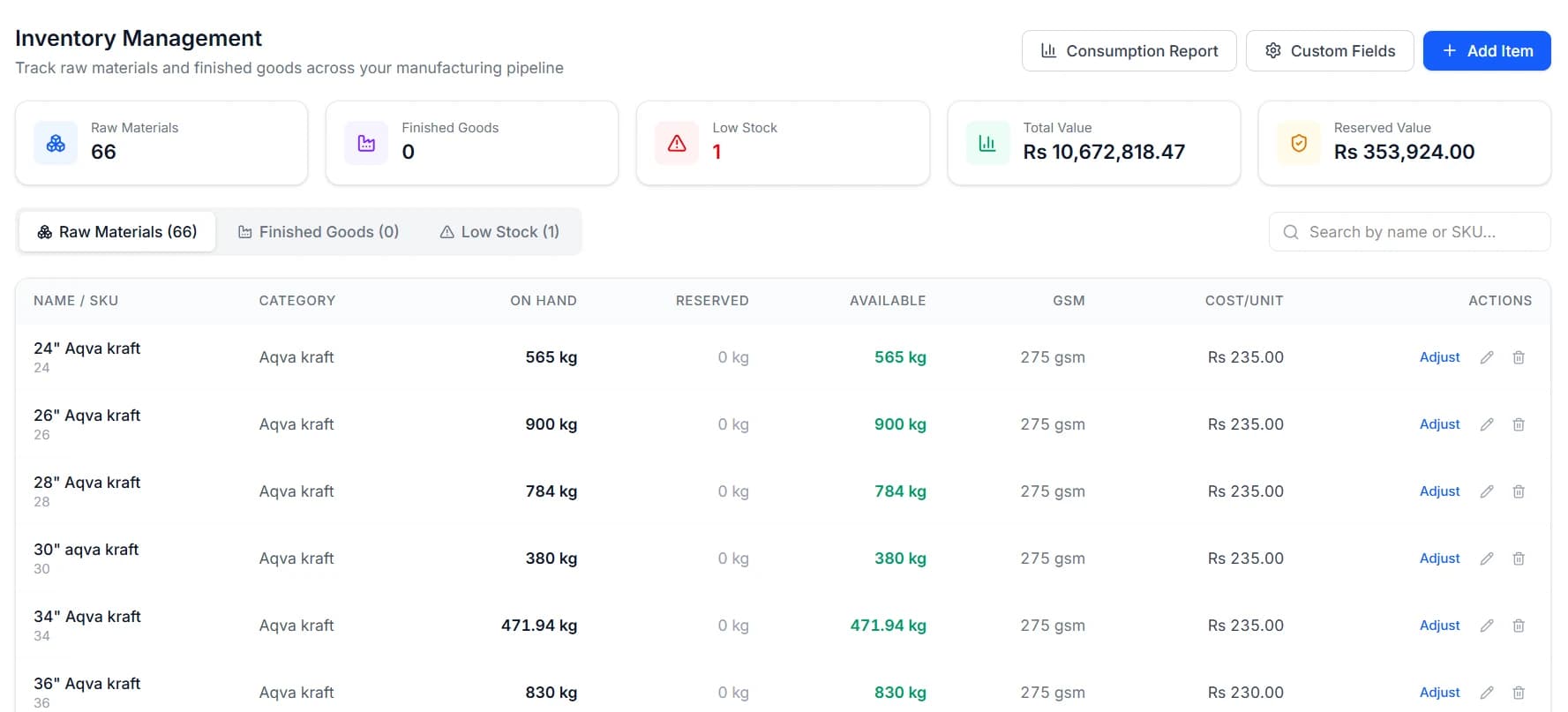
Inventory
Accounting coreLive stock by item and location, with the movement history behind every figure rather than a closing number you have to trust. Your industry module adds whatever else your stock is measured in.
- Raw material, work in progress and finished goods
- Full movement history behind every quantity
- Stock valuation that ties to the balance sheet
- Low-stock visibility before production stops
Items
Accounting coreOne catalogue of raw materials, consumables and finished products, shared by costing, purchasing, production and the books. Defined once, used everywhere.
- Units, specifications and rates defined once
- Industry-specific attributes added by your module
- Used by every module, so nothing disagrees
- Average cost and last buying rate both kept
Fixed Assets
Accounting coreMachinery, vehicles and plant on a register that ties back to your balance sheet instead of living in a side spreadsheet.
- Asset register with purchase details
- Sits on the books, not in a side spreadsheet
- Depreciation-ready
- Disposals recorded against the asset
Chart of Accounts
Accounting coreA real double-entry general ledger. Every invoice, receipt, bill and payment posts a journal entry you can open and inspect.
- Customisable chart of accounts
- True double-entry, with a trial balance that balances
- Manual journal entries where you need them
- A full audit trail behind every posting
Reports
Accounting coreOver thirty reports covering the books and the operation — and they print the way they look on screen, which is not a given in this category.
- P&L, balance sheet and trial balance
- Receivables and payables ageing, including custom windows
- Stock, consumption and job costing
- Customer profitability over any date range
Team & Access
Accounting coreInvite your staff and decide, module by module, what each of them can open. The floor supervisor does not need to see your margins.
- Permissions per module and per action
- Costs and margins hidden by default, granted deliberately
- Activity attributed to the user who did it
- Ready-made roles for floor, sales and accounts
Settings
Accounting coreCompany profile, tax credentials, invoice numbering and print templates — set once, applied everywhere and to every document you hand out.
- Company details and logo on every document
- Tax registration and FBR environment setup
- Invoice numbering and pinned print templates
- Challan template and print preferences
FBR Digital Invoicing
FBR ComplianceValidate and post sales-tax invoices straight to FBR. It genuinely posts and returns an IRN and a QR code — it is not a green button on a spreadsheet.
- One-click validate, then post to FBR
- Live IRN and QR code returned onto the invoice
- The full FBR response kept, rejections included
- Posted invoices locked against edits
Jobs & Production
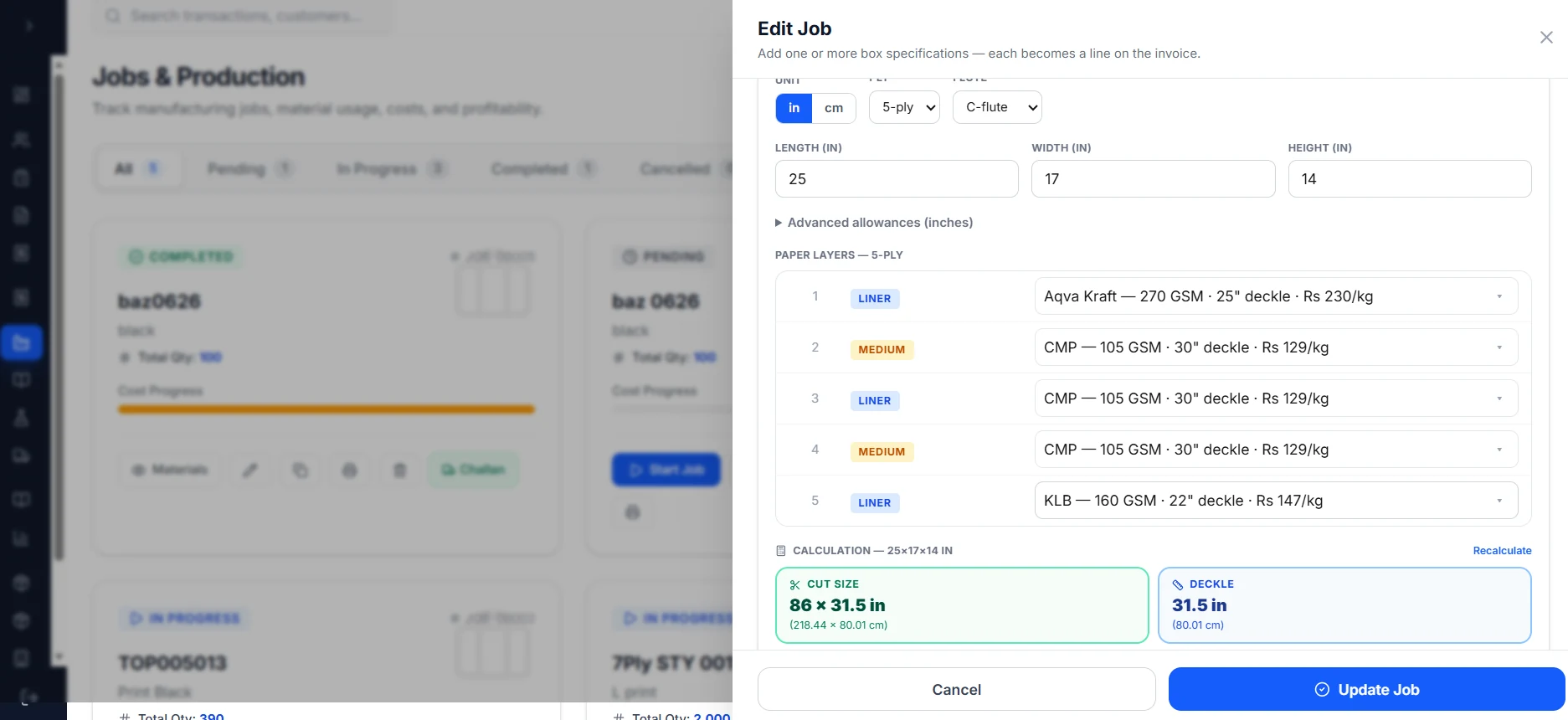
Corrugated BoxA job card per order carrying the ply stack, the cut size and the deckle the floor actually needs — computed from the box, not copied out of a notebook.
- Cut size and deckle worked out from the box specification
- Paper layers picked from the reels you stock, by GSM and rate
- Status from pending through in-progress to completed
- Material consumption booked against the job as it runs
Quotation Book
Corrugated BoxQuote 3, 5 and 7-ply cartons off stored rate cards. The price you quoted last March is still there when the buyer rings back about it.
- Separate rate cards for 3-ply, 5-ply and 7-ply
- Ply pricing and box specs stored against the quotation
- Quote at average paper cost or at your last buying rate
- Convert an accepted quote straight into a job
BOM Formulas
Corrugated BoxBoard and paper formulas, so the same box costs the same way twice — whoever works it out and whenever they do it.
- Board formulas costed down to the gram
- Reusable templates per board grade
- A per-box material cost, not a rule of thumb
- The formula stays visible, so you can argue with it
Only the industry modules change from business to business. See what the accounting core covers.
Industry module · Compliance
It actually posts to FBR.
Digital sales-tax invoicing is a legal obligation, not a feature, so it is worth being precise about what happens. Quick Safa sends your invoice to FBR and records what FBR sends back — an invoice reference number and a QR code. If FBR rejects it, you get the rejection, not a green tick.
- 01Validate firstCheck the invoice against FBR’s rules before anything is sent. Errors surface on your screen, not in a rejection you find out about later.
- 02Post to FBRThe invoice goes to FBR and comes back with an invoice reference number and a QR code, both printed on the document you hand the buyer.
- 03Keep the evidenceThe full FBR response is stored against the invoice, rejections included, and the posted invoice is locked against edits.
Only need FBR invoicing?
Take the FBR module on its own. It runs on the same accounting core, so if you later want the books, the stock or your trade's module, nothing has to be moved or re-entered.
Free · no sign-up
What an industry module looks like in practice.
This is the costing engine out of the corrugated module, running live and free. It is the same code the app runs, not a simplified version for the website.
If you make boxes, put in the carton you make most and your own paper rates and see whether it matches your estimator's working. If you do not, it is still worth thirty seconds — this is the depth a module is built to, and yours would be built to the same one.
Box size
Inside dimensions of the finished carton.
Board
2 liners + 1 medium = 3 sheets
Paper
Use your last buying rate.
Quantity
More options
Printing, punching, stitching, overhead
Cost per box
Rs 59.83
18 × 12 × 12 in · 3-Ply · C-Flute
Board weight
375 g
per box
Order value
Rs 59,829
1,000 boxes
Board geometry
Quick Safa snaps the deckle to the reel widths you actually stock, splits a blank that exceeds your corrugator into two pieces, and recalculates paper use from what the plant really cuts — then sends it to the job card.
Sign up to unlockPaper breakdown
Every sheet in the 3-ply stack, outer to inner.
| Sheet | GSM | g / box | Total kg | Cost |
|---|---|---|---|---|
| ATL | 120 | 118 | 117.6 | Rs 19,404 |
| CMP | 100 | 140 | 140.1 | Rs 21,021 |
| ATL | 120 | 118 | 117.6 | Rs 19,404 |
| Total | 375 | 375.3 | Rs 59,829 |
Paper only, unless you add a conversion rate. Real consumption also depends on reel width, trim and process waste — all of which Quick Safa accounts for from your own stock and machine settings.
Assistant
Ask your books a question.
The assistant works on your own ledger, so the answers come with the transactions behind them. It does the categorising and the matching, and it tells you what moved this month without you building a report to find out.
- Categorises as you go
- Puts expenses against the right account, matches receipts to bills, and flags the ones it is not sure about instead of guessing.
- Explains the cash position
- Points at what changed and why — which customers slipped, which costs moved — in plain language, with the transactions behind it.
- Answers questions about your books
- “What did we spend on kraft paper last quarter?” gets a number and the ledger entries it came from, not a dashboard to go hunting in.
Safa Assistant
Online
How are receipts tracking this half-year?
Receipts are up 25.1% across the half, at Rs 33,090,000. June was the strongest month.
| Month | Receipts | Share of peak |
|---|---|---|
| Jan | Rs 4,120,000 | |
| Feb | Rs 5,260,000 | |
| Mar | Rs 4,480,000 | |
| Apr | Rs 6,310,000 | |
| May | Rs 5,740,000 | |
| Jun | Rs 7,180,000 |
Illustrative figures. The assistant answers from your own ledger.
Getting started
You don't type in ten years of records. We load them.
The most common reason a business stays on Excel is not the software — it is the thought of moving. So moving is our job, not yours.
Onboarding is scoped with you before anything is agreed, so you know exactly what moving involves before you commit to it.
Bring what you have to the demo — we will tell you what it would take.
- 01
You send us what you have
An Excel sheet, a register, a printout, an export from whatever you run now. There is no format requirement — we work with what exists.
- 02
We load it
Customers, vendors, your item catalogue with its rates and specifications, and opening balances for every ledger, so the trial balance ties on day one.
- 03
We set up your chart of accounts
Matched to how you already keep your books, not to a template you would have to relearn.
- 04
We train your staff on site
The office and the floor, on your own data, doing your own work. Not a slide deck.
Tell us how your business actually runs.
If a module already fits, we will show it to you on your own numbers. If your trade has not been built yet, we will tell you what designing it would take. Either way the first conversation costs nothing and commits you to nothing.
Or ring +92 306 7878333 · WhatsApp +92 370 8439178