The accounting core
A complete set of books, whatever you make.
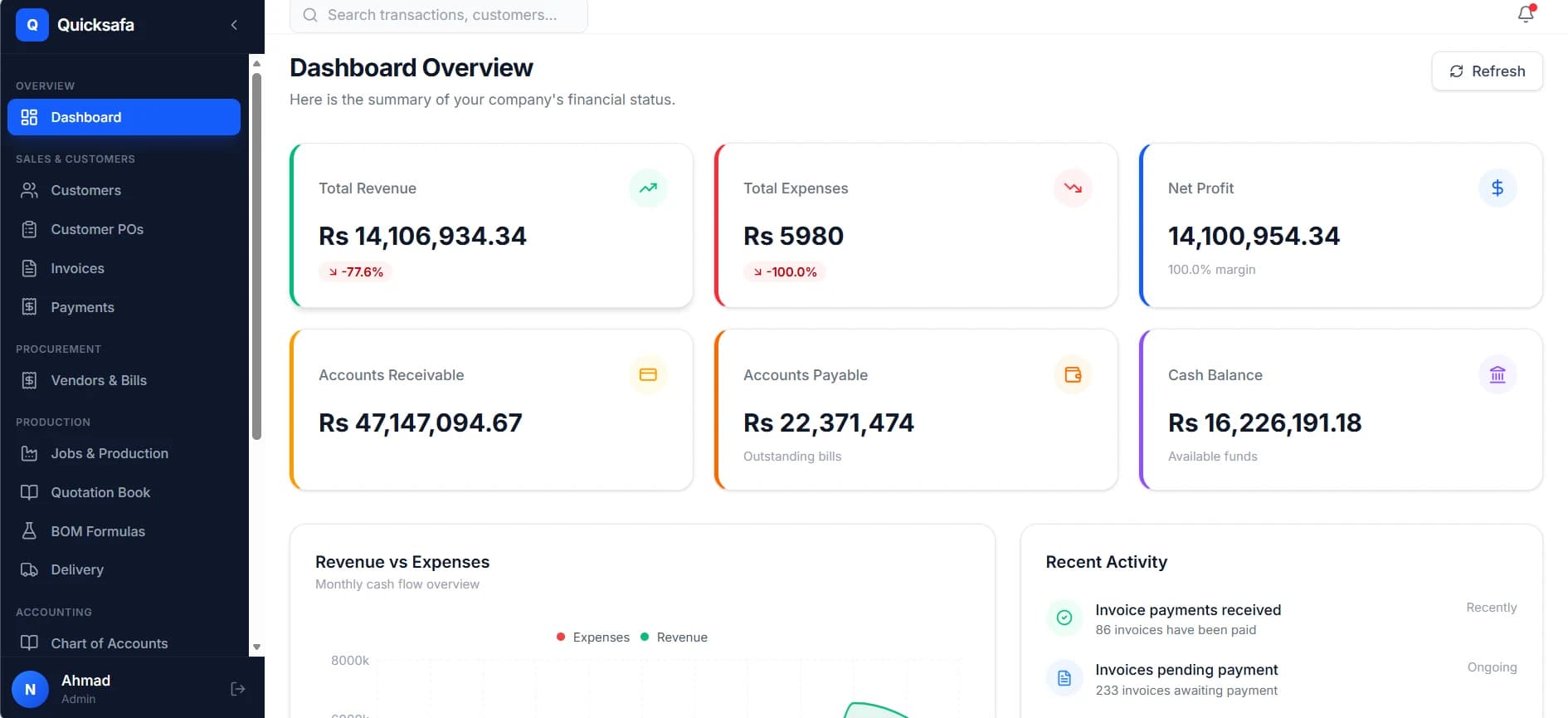
Customers, invoices, receipts, vendors, bills, stock, fixed assets and a real double-entry ledger with 30+ reports over it.
What you get, and why it matters
The point of moving off a register and an Excel file is not tidiness — it is that the numbers stop being reconstructed after the fact.
- Double-entry underneath, not on top
- Invoices, receipts, bills, payments, stock issues and expenses all post their own journal entries. The trial balance ties because it is produced from the entries, not reconciled to them afterwards.
- A ledger per customer and per vendor
- A running statement you can hand across, not a balance somebody has to vouch for. Every figure drills back to the transaction that made it.
- Stock that agrees with the books
- Movements are recorded as they happen and valued against the balance sheet, so the stock figure and the accounts are the same number rather than two arguments.
- Reports that print the way they look
- Over thirty of them — P&L, balance sheet, trial balance, ageing, day book, stock, profitability. What you see on screen is what comes out of the printer, which is not a given in this category.
- Access controlled down to the action
- Staff see the modules they work in and nothing else. Costs and margins are hidden by default and granted deliberately, and every action is attributed to the person who took it.
- Your data, exportable, always
- Registers and reports export to Excel whenever you want them, and the exit path if you ever leave is written down rather than implied.
13 modules, in every install
Grouped the way the software is. Nothing here is priced separately — there is no edition that withholds the ledger.
Sales
- Customers & Ledgers
- Every customer with a statement-style ledger underneath — what they bought, what they paid, and what is still outstanding, in one running list you can hand to them.
- Customer POs
- Log the buyer purchase order once. Turn it into a production job or an invoice without anybody re-typing a specification, a quantity or a rate.
- Invoices
- Sales invoices on your own template, posting their own journal entry. Where the FBR module is switched on, they validate and post to FBR from the same screen you raise them on.
- Payments
- Record receipts against the invoices they settle. Receivables stay right without a month-end reconciliation exercise.
- Delivery
- Delivery challans on your own template, out of the gate and onto WhatsApp before the truck reaches the buyer. Stock comes off on dispatch, not at month end.
Purchasing & Stock
- Vendors & Bills
- Suppliers, purchase orders and bills in one place, with a ledger per vendor so you know exactly what you owe and since when.
- Inventory
- Live stock by item and location, with the movement history behind every figure rather than a closing number you have to trust. Your industry module adds whatever else your stock is measured in.
- Items
- One catalogue of raw materials, consumables and finished products, shared by costing, purchasing, production and the books. Defined once, used everywhere.
- Fixed Assets
- Machinery, vehicles and plant on a register that ties back to your balance sheet instead of living in a side spreadsheet.
Books
- Chart of Accounts
- A real double-entry general ledger. Every invoice, receipt, bill and payment posts a journal entry you can open and inspect.
- Reports
- Over thirty reports covering the books and the operation — and they print the way they look on screen, which is not a given in this category.
Platform
- Team & Access
- Invite your staff and decide, module by module, what each of them can open. The floor supervisor does not need to see your margins.
- Settings
- Company profile, tax credentials, invoice numbering and print templates — set once, applied everywhere and to every document you hand out.
On top of it
Then add the module your trade runs on.
The core handles what every business does. What it does not handle is the part specific to your trade — the costing, the production steps, the documents your customers expect. That is what an industry module is for, and it goes on later without moving your data or restarting your books.
See the industry modules